← Back to the overview

Team board & roles

Plan your team’s week – and decide who sees what

The team board shows who works when: appointments, unconfirmed requests, holidays and sick days for everyone at once. Roles decide what each person may see and do in your business.

Coming soon

Free to download · iOS & Android

The whole week at a glance

How it works

Plan the week, share the work

Team board & roles

The whole week at a glance

One row per person, one column per day: appointments with time, service and customer, plus holidays and sick days from the time tracking. On a tablet you see the whole week at once.

  • Unconfirmed appointments are clearly marked
  • Number of appointments and hours per person and week
  • Tap a day to see the whole team’s day on a timeline
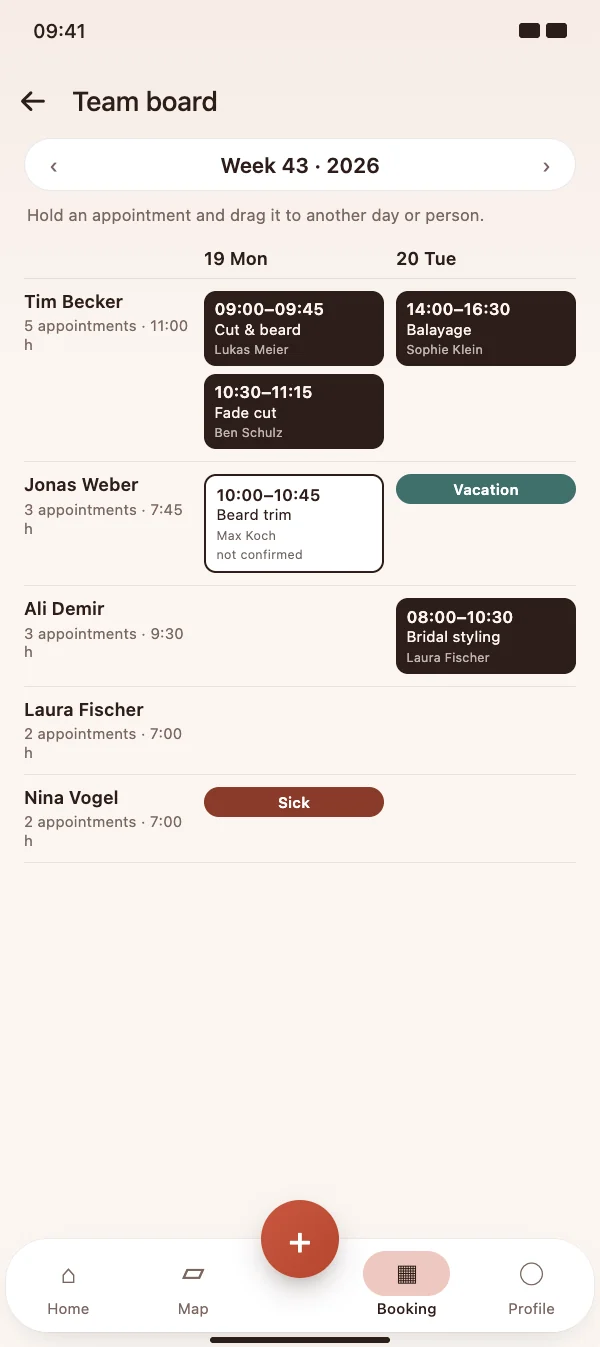
The whole week at a glance

Team board & roles

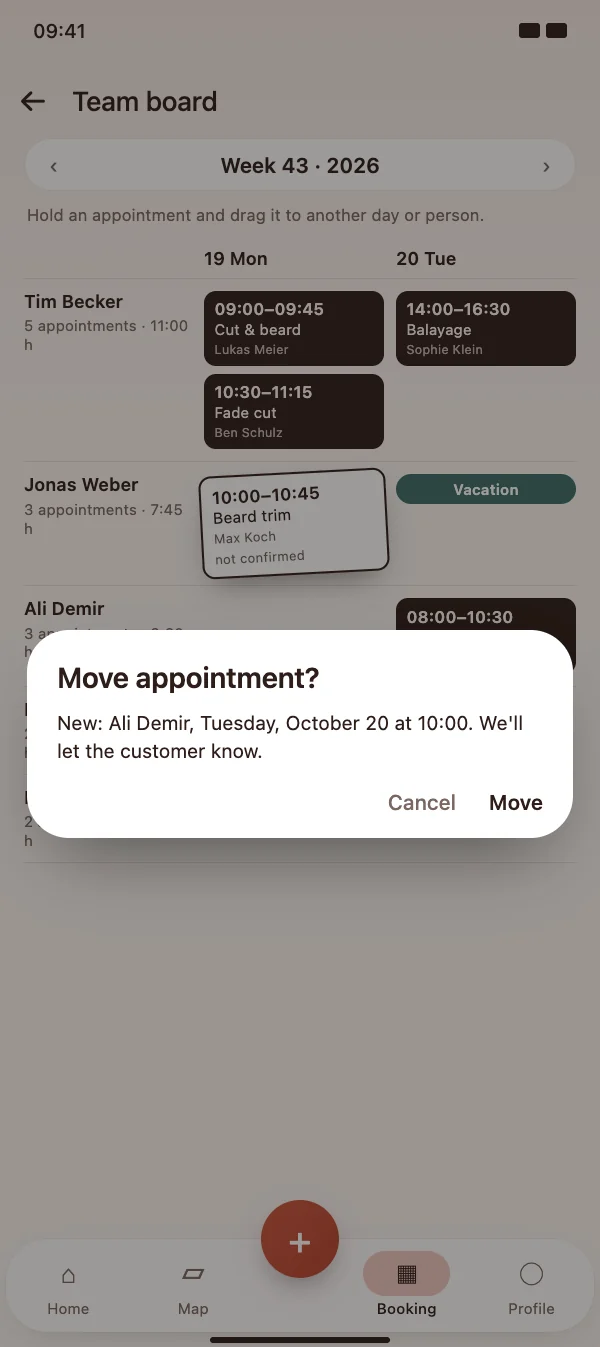
Move appointments by drag & drop

Hold an appointment and drag it to another day or another person. HairMe checks whether that person offers the service and is free – and notifies your customer about the new time.

  • In the day view, also to another time
  • Warning when the person already has an appointment
  • Your customer is informed automatically
Move appointments by drag & drop

Team board & roles

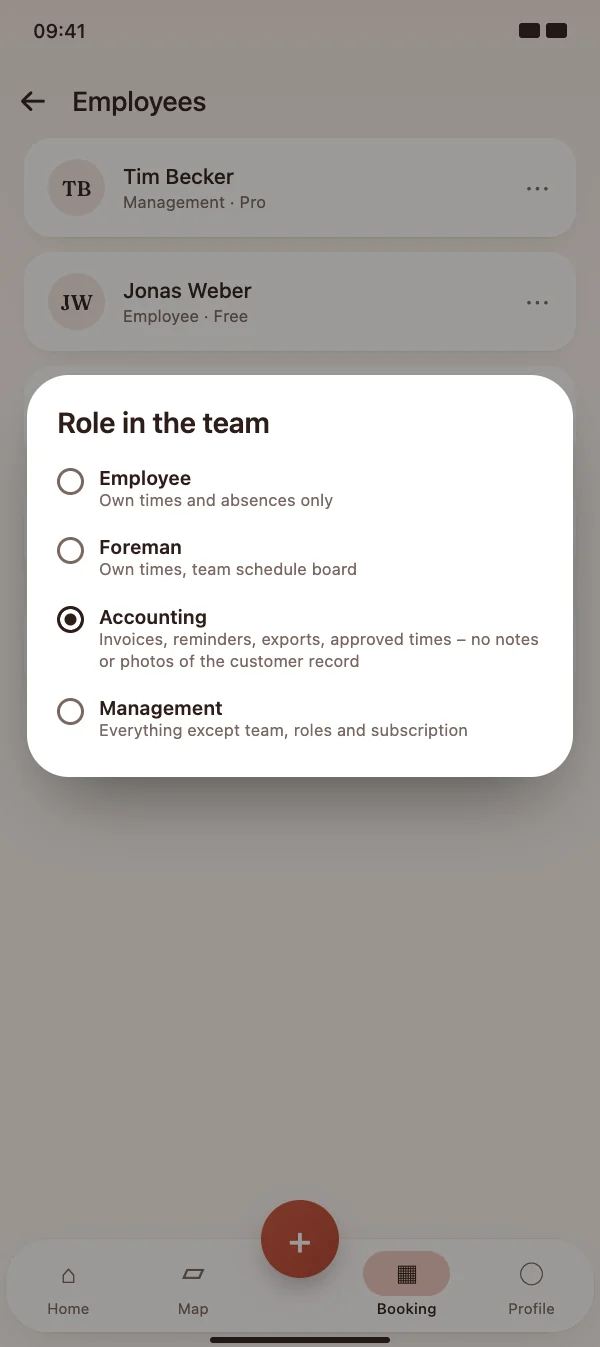
A role for everyone in the team

Choose a role for each team member: employee, foreman, accounting or management. Each role has clear rights – no shared passwords, no access to more than is needed.

  • Employee: own times and absences
  • Foreman: also the team board
  • Accounting: invoices, reminders, exports and approved times – without notes and photos from customer records
A role for everyone in the team

Team board & roles

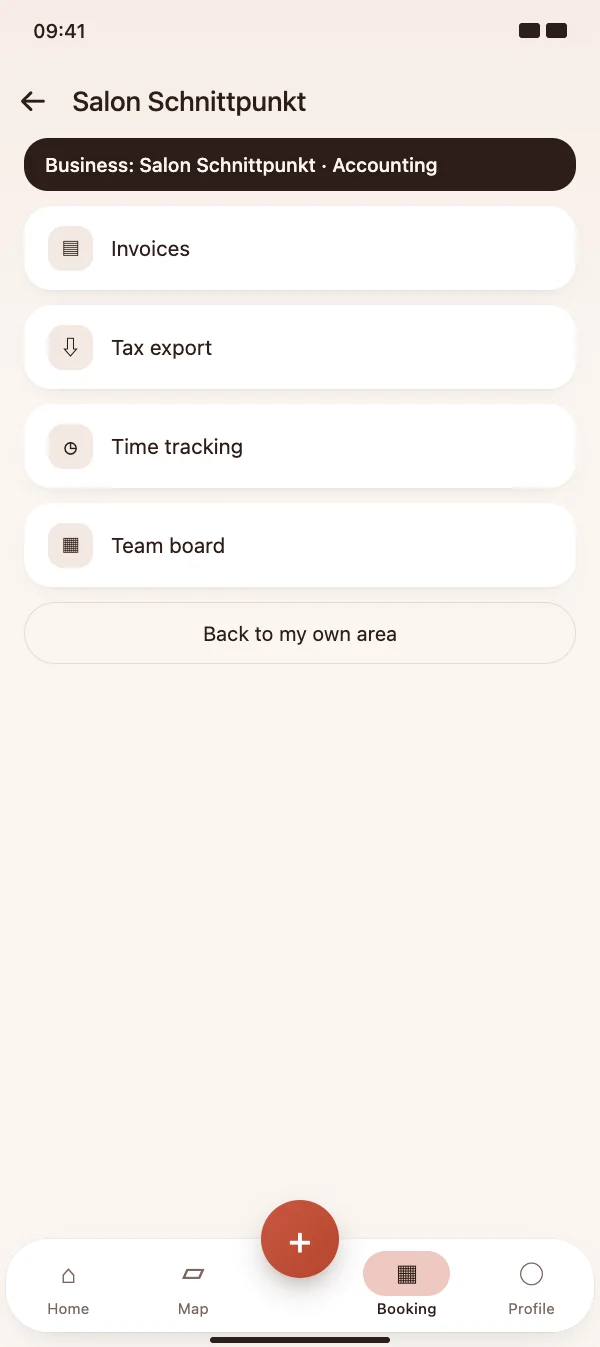
Work in the business with one tap

Team members switch into your business from the menu and see exactly what their role allows. A banner always shows in whose business they are working, and one tap takes them back to their own area.

  • Management handles everything except team, roles and subscription
  • Invoices and records stay in your business
  • Notifications go to the people whose role needs them
Work in the business with one tap

FAQ

Questions about the team board and roles

What does it cost?

The team board and roles are part of the HairMe group subscription for teams.

Who can move appointments?

The owner of the group and team members with the role management. Before the move, HairMe shows the new time and checks that the person offers the service and is free.

Does my customer notice the change?

Yes. When an appointment is moved, HairMe notifies your customer about the new day, time or person.

Can I change a role later?

Yes, at any time in the team list via the menu of the person. The new rights apply immediately.

Plan your team’s week today

Download HairMe for free and open the team board via the menu in the Booking tab.

Coming soon

Free to download · iOS & Android