← Back to the overview

Promotions

Discounts on the days you choose

Fill quiet days and times with a discount: set the percentage, the weekdays and, if you like, a time window or certain services. Customers see it on your profile and when they pick a time – and the price is fixed when they book.

Coming soon

Free to download · iOS & Android

Set up the promotion

How it works

From the first offer to the story in four steps

Promotions

Set up the promotion

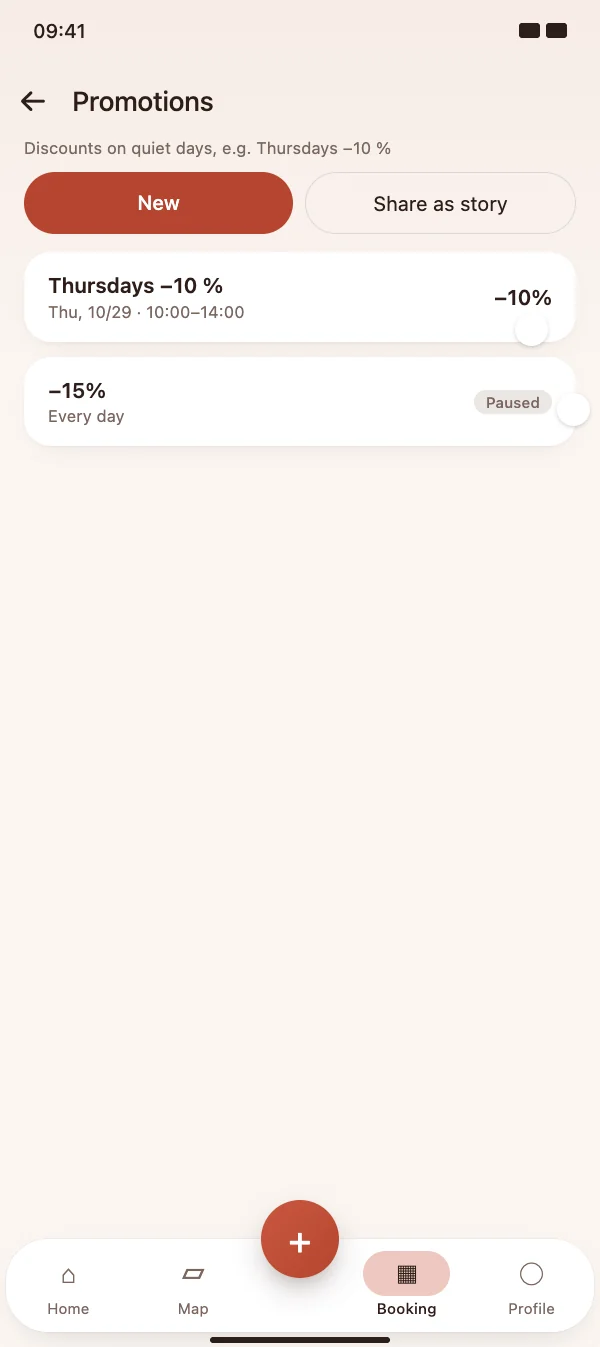
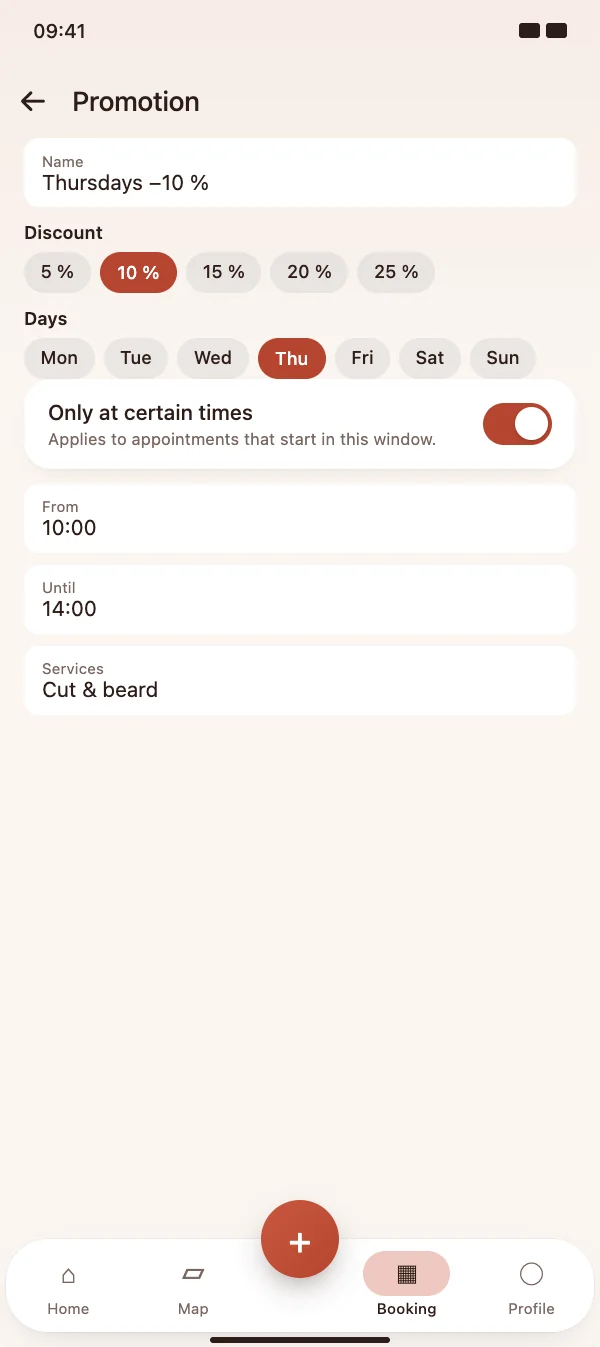
Under Appointments, then the menu and Promotions, tap New, enter a name and the discount in percent, and choose the days it applies to.

  • Discount from 1 to 90 %, as a quick choice or your own value
  • Limit it to certain times, a date range or selected services
  • Pause or delete it at any time – booked appointments keep their price
Set up the promotion

Promotions

Customers see the discount

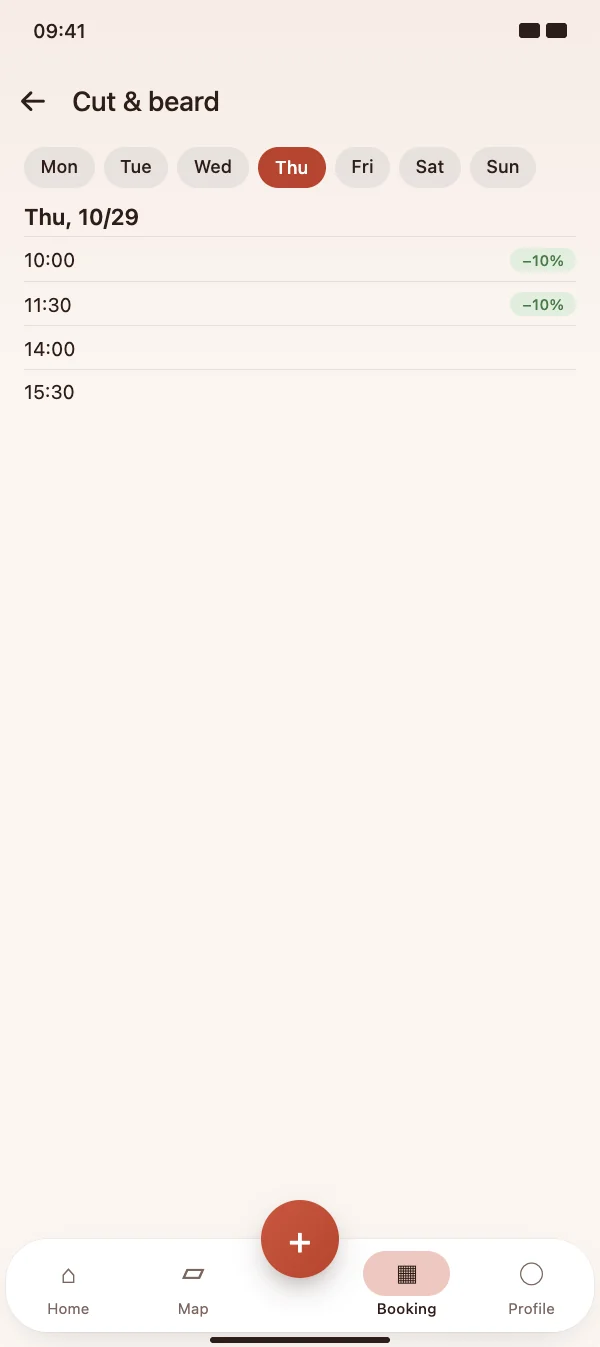
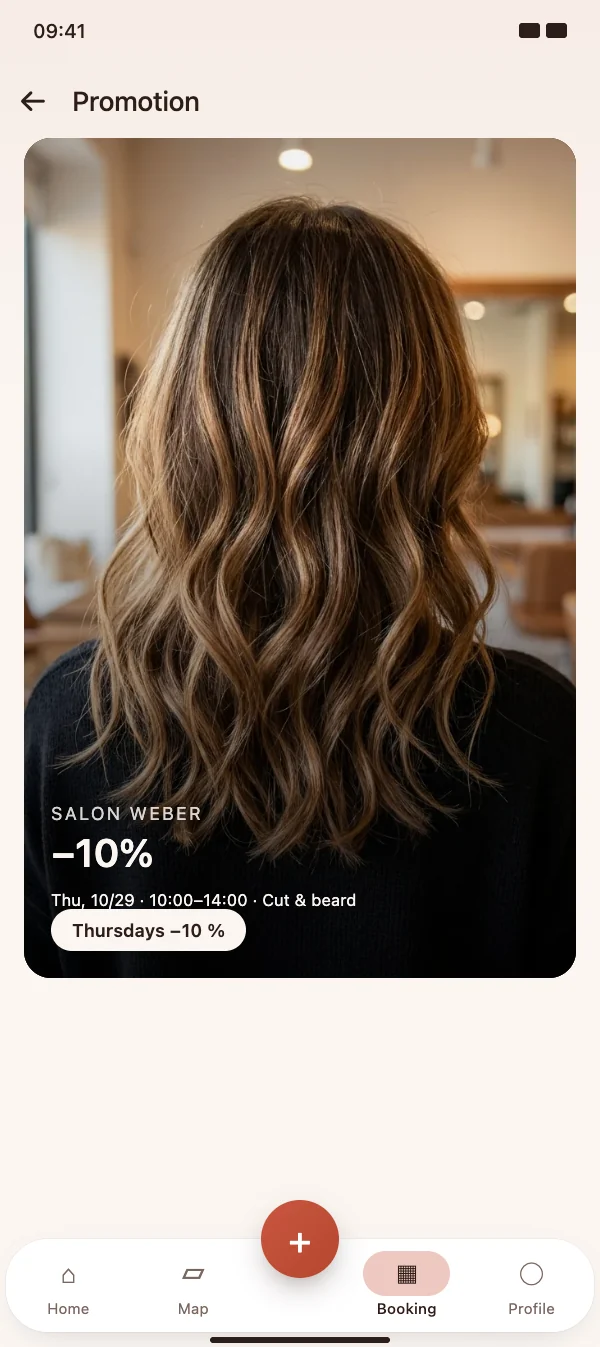
The promotion appears as a banner on your profile. When customers pick an appointment, the days and times that qualify are marked, and the service shows a hint.

  • Banner on your profile
  • Badge on the qualifying days and times
  • Hint next to the service when the promotion applies
Customers see the discount

Promotions

The price is fixed when booking

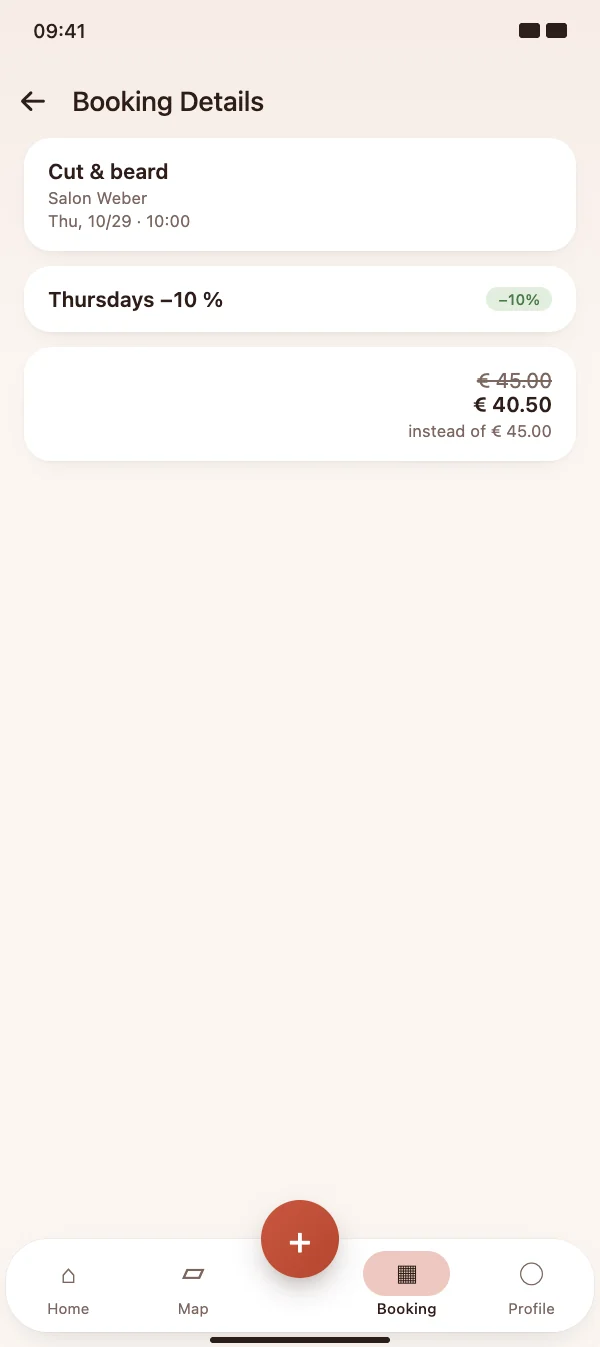
The reduced price is calculated on the server and shown with the original price crossed out. The deposit is taken from the reduced price, too.

  • Crossed-out original price in the confirmation
  • Changing or deleting a promotion leaves booked appointments as they are
  • Also works for web bookings, series and AI assistants
The price is fixed when booking

Promotions

Share the promotion as a story

The story template shows the discount, the days, the time window and the services, plus the free appointments on those days and your booking link.

  • Story and post from one template
  • Free appointments on the promotion days are listed automatically
  • Your booking link is included
Share the promotion as a story

FAQ

Questions about promotions

What does a promotion cost?

Promotions are part of the HairMe Pro subscription. Without a subscription no new promotion can be created; existing ones stop applying and work again once the subscription is active.

Can discounts be combined?

No. An appointment gets at most one promotion: the highest percentage wins, and if two are equal, the older one. Vouchers are paid separately and can still be used on top.

Does a new promotion change appointments that are already booked?

No. The price is fixed when the customer books. If the studio moves the appointment, the discount stays.

Do appointments entered by hand get the discount?

No. Customer bookings get the promotion automatically. Appointments that the studio enters by hand get no automatic discount – the studio sets their price itself.


Fill quiet days with a discount

Download HairMe for free, open Appointments in the Booking tab and add a promotion from the menu.

Coming soon

Free to download · iOS & Android