← Back to the overview

Courses & workshops

Teach what your chair is known for

Your updos, your bridal looks, your balayage – share them in a workshop. Plan sessions with limited seats, let guests book on your salon profile, and keep track of who attended. Certificates are created at the end with one tap.

Coming soon

Free to download · iOS & Android

Plan the workshop

How it works

Plan, fill, teach, certify

Courses & workshops

Plan the workshop

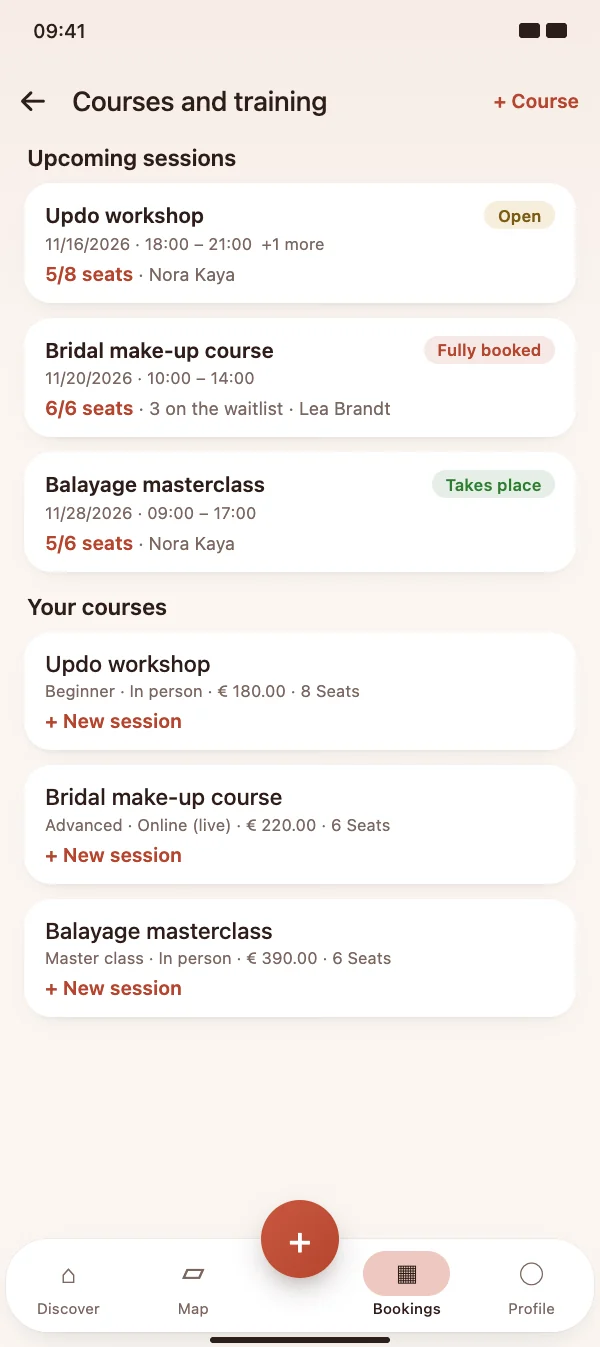
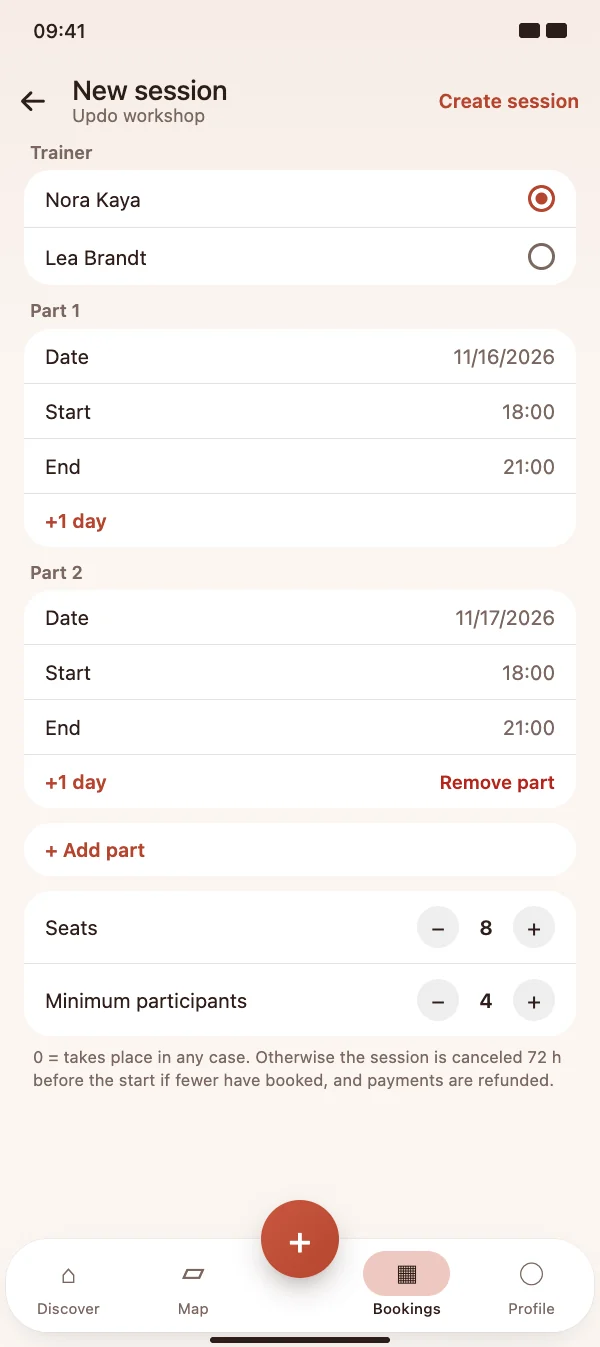
Open Appointments, then the menu and Courses and training. Describe the course once – level, price, seats, minimum number, what is included – and add sessions with a trainer from your team and one or more dates.

  • Several parts, e.g. theory on Monday, practice on Tuesday
  • Clashes with booked appointments are flagged per part
  • Live online sessions get their own link
Plan the workshop

Courses & workshops

Guests find it on your salon profile

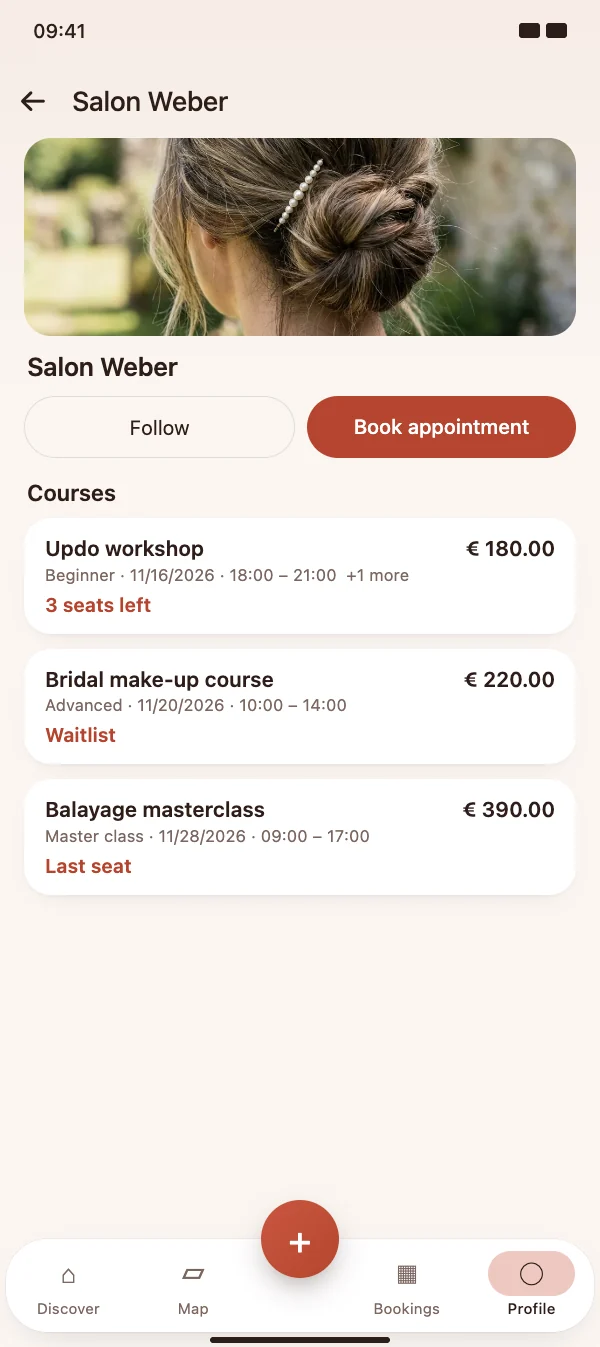
A Courses section on your profile lists the next sessions with level, dates and price, and says how many seats are left. The search has a Courses filter, and your browser booking page shows the courses too.

  • Last seat, seats left or waitlist
  • Searchable with the Courses filter
  • Bookable without the app in the browser
Guests find it on your salon profile

Courses & workshops

One tap for a seat

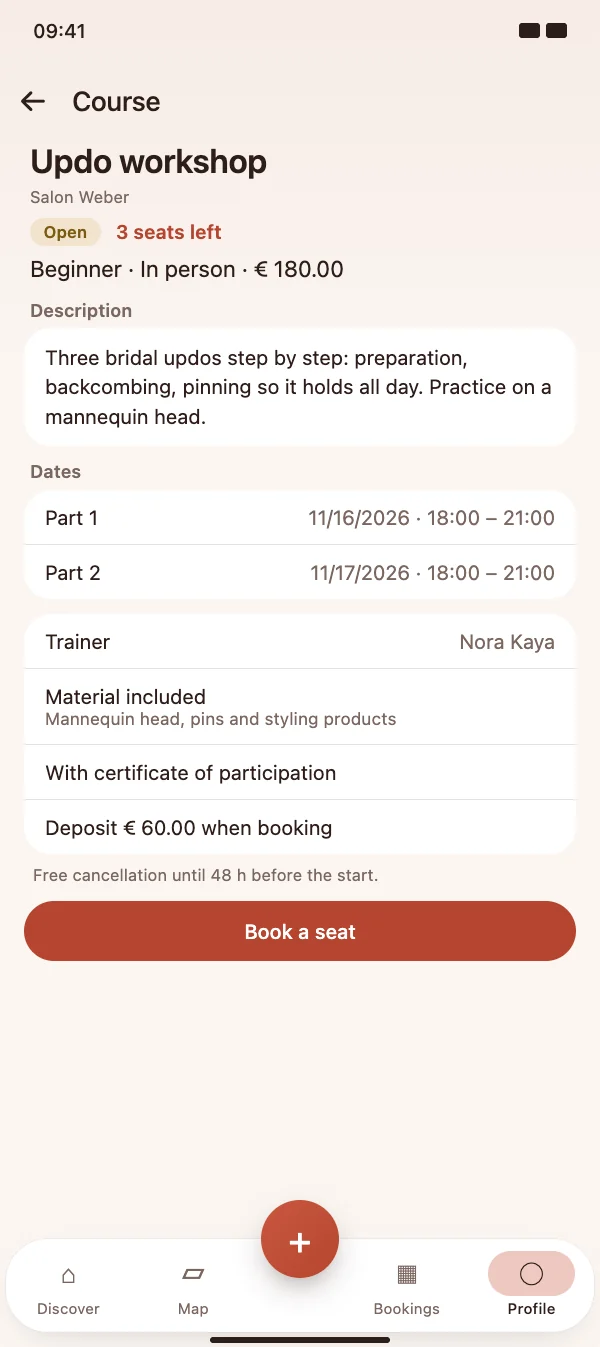
On the course page guests read what they will learn, when each part takes place, who teaches and what is included. They book a seat – or join the waitlist when the workshop is full.

  • Payment at the salon, a deposit or the full price
  • Your cancellation deadline is shown before booking
  • Every part lands in their appointments
One tap for a seat

Courses & workshops

On the day: attendance and certificates

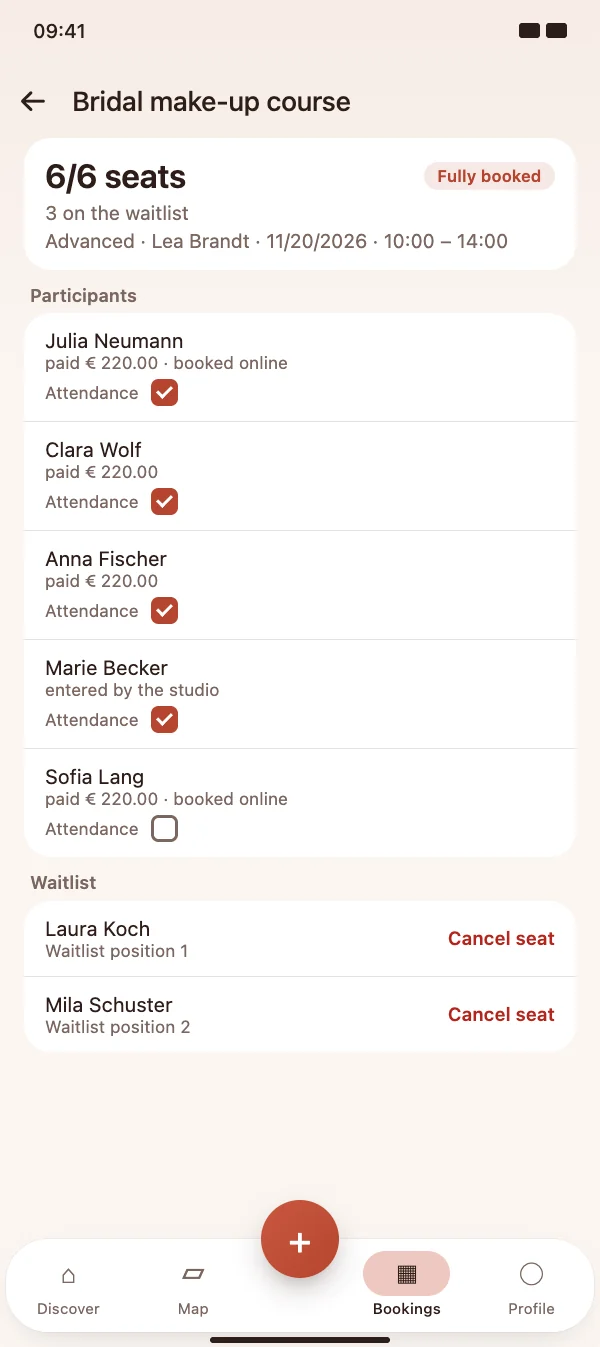
The session shows booked guests, payments and the waitlist. Check off who came to each part, message the whole group and create PDF certificates of participation when the last part is over.

  • Free seats are filled from the waitlist automatically
  • Walk-in or phone booking? Add the participant yourself
  • More seats, a new link or a cancellation – everyone is informed
On the day: attendance and certificates

FAQ

Questions about workshops

Do I need a subscription?

Yes, offering courses is included in HairMe Pro. Guests book their seat for free and only pay your course price.

Can guests pay in advance?

If you like. Per course you choose payment at the salon, a deposit or the full price, paid online through your connected Stripe account. Cancellations before your deadline and sessions you cancel are refunded automatically.

What if a workshop does not fill up?

Set a minimum number of participants. 72 hours before the first part, HairMe checks it: if too few have booked, the session is canceled and refunded, and everyone gets a message. If enough have booked, it is confirmed.

What happens when someone cancels?

The seat goes to the first person on the waitlist, who gets a push notification. For courses paid in advance she has 24 hours to pay before the seat moves on to the next person.

Can I run a make-up course online?

Yes. Choose the format live online and add the link to the session. Only guests with a seat see it in the app, and everyone is reminded 24 hours before each part.


Plan your first workshop

Download HairMe for free, open Appointments in the Bookings tab and find Courses and training in the menu.

Coming soon

Free to download · iOS & Android